Guide · Baby podcast template
How to make an AI baby podcast video
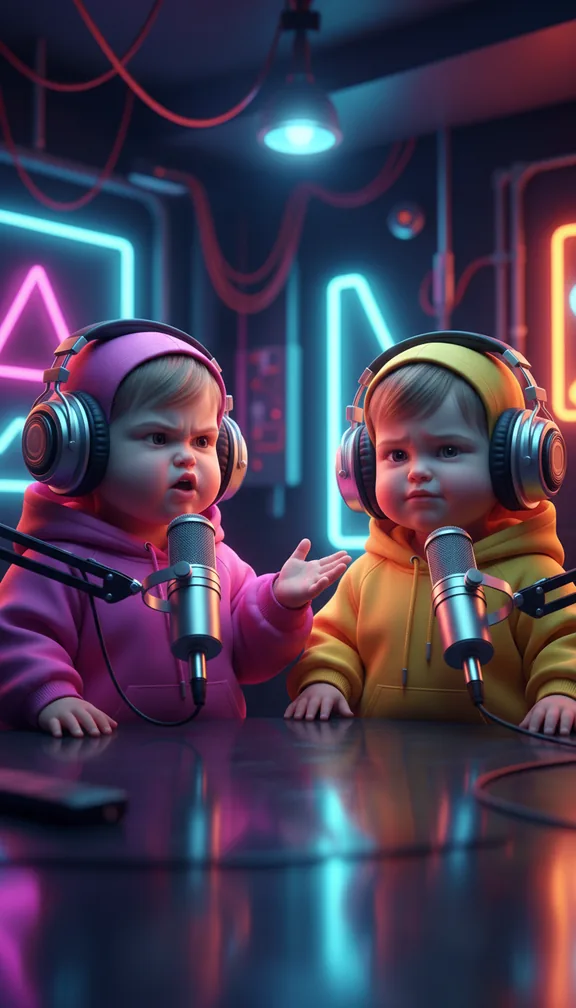
The baby podcast format shows a toddler version of someone hosting a very serious podcast: neon studio, big microphone, a sceptical co-host, a mic-drop ending with a juice box. The contrast between the setting and the host is the whole joke.
- 15 svertical 9:16
- 3scenes
- $1.50 to $6.75usual price
Step by step
- Open the templateGo to the Baby podcast template and press Try it (sign in with Google or an emailed code; new accounts get 100 free credits).
- Add your pictureA front-facing photo of the adult who becomes the toddler host. Clear face, neutral expression; the studio turns it into a baby version of them.
- Add a songOptional: upload a track and the scenes are cut to its beat.
- Check the price and approveYou see the exact price in credits before anything is charged; a 15-second video like this one usually costs about $1.50 to $6.75, depending on the model. A scene that fails is refunded.
- Download and postEach of the 3 scenes is made by an AI video model and cut into one vertical 9:16 video in your browser, ready for TikTok, Reels or Shorts.
Get the best result
- Optional: add a song and the three scenes are cut on its beat; leave it out for a plain cut.
- Pick the photo of whoever the joke is about: the baby keeps their face.
- Want the baby to say exact words? Use Talking avatar on the Templates tab with your script and a consented photo.
When you post it
- Title it like a real episode ("Ep. 47: why I stopped crawling").
- Put the hot take in the caption; the video is the reaction.
Make your own version
The template's scenes are fixed. For your own story in this format, open the studio and give the director a line like one of these, with your picture:
- "A baby podcast where a toddler explains why the piggy bank is overvalued"
- "Two toddler hosts argue about bedtime, one storms off"
- "A baby life coach reviews morning routines, very serious"